
Regarding Computer-aided design (CAD), two names stand out in the industry: AutoCAD and SolidWork.; Bought is widely used for designing, drafting, and modeling across various industries. However, choosing the right software depends on several factors, including the type of project, industry requirements, and designer expertise. In this blog, we will understand the differences between Autocad and SolidWorks can help professionals make informed decisions based on their specific needs. so, let us drive into deep.
Understanding Autocad what is it and how it works
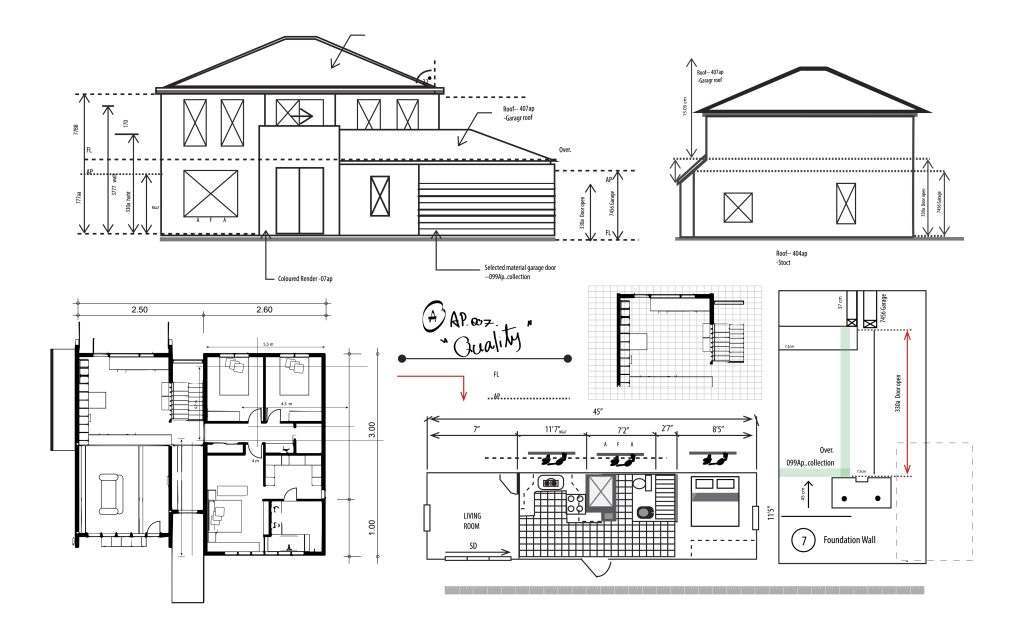
Before diving into deep let’s understand first what is AutoCAD. AutoCAD, developed by Autodesk, has been a dominant player in the CAD industry since its release in 1982. It is primarily used for 2D drafting and has evolved to include 3D modeling capabilities. Due to its flexibility, AutoCAD is widely in various fields, including architecture, civil engineering, electrical design, and mechanical drafting.
One of the best strengths is AutoCAD it’s creates precise 2D technical drawings. Architects and engineers use it to draft floor plans, schematics, and mechanical components. While AutoCAD does offer 3D modeling tools, they are not as advanced as those found in Solidworks. However, its versatility makes it an excellent choice for professionals who need to switch between different types of design work.
Understanding SolidWorks what is it and how it works

SolidWorks, developed by Dassault Systems, is a parametric 3D-meaning software widely used in mechanical engineering, prediction design, and manufacturing. It focuses on solid modeling, which allows users to create highly detailed 3D parts and assemblies. Unlike AutoCAD, which starts with lines and curves, solidWorks operates using a features-based approach, making it ideal for creating complex mechanical components.
One of SolidWork’s standout features is its ability to simulate real-world conditions is manufactured, reducing the risk of design flaws. This capability makes SolidWorks a preferred choice in an industry that requires precision and functionality in 3D models.
Key Differences between AutoCAD and SolidWorks
AutoCAD and SolidWorks serve different purposes, and their differences stem from their core functionalities.
Design Approach; Auto CDA is primarily a 2D drafting tool with 3D capabilities, whereas SolidWorks is a 3d Parametric modeling software.
User Interface: AuotCAD as a command-line interface and relies on precise input commands, where solid work offers a more visual and interactive design process.
Industries: AutoCAD is commonly used i architecture. Civil engineering, and electrical design, while Soildwork is moniant in mechanical engineering product development and 2D Drafting.
Simulations tools: Solidworks Offers advanced simulation tools to test mechanical and thermal properties, which are not available in autoCAD.
Choosing the Right Software for Your Needs
Selecting between AutoCAD and SolidWorks depends on the specific requirements of the projects of your projects. If you mostly work 2 drafting or architectural design, AutoCAD is the better choice. Its precision in creating floor plans, schematics, and technical drawings makes it invaluable for architects and civil engineers. Additionally, if you frequently work with electrical or plumbing schematics, AutoCAD’s industry-specific toolsets can streamline the process.
On the other hand, if your focus is on mechanical engineering, product design, or manufacturing, SolidWorks is the superior option. The ability to create parametric 3D models, test the, under real-world conditions, and visual the assembly process makes solid work ideal for engineers developing complex mechanical components. The software simulation capabilities help in reaching design eros before production begins.
Learning Curve and Usability
AutoCAD has a steep learning curve, especially for beginners, as requires users to learn commands and input precise measurements. However, once mastered, it becomes a powerful tool for drafting professionals. It offers extensive customization options, allowing users to crate macros and scripts to automate repetitive tasks.
While SolidWork’s interface is more friendly, it requires knowledge of parametric modeling concepts. Users need to understand constraints, sketches, and features to create complex models. However, its intuitive drag-and-drop functionality makes it easier for designers to visualize and modify components.
Pricing and Accessibility
AutoCAD and SolidWorks come with different pricing structures, which can influence the decision-making process. AutoCAD operates on a subscription-based model, with options for monthly, annual, and multi-year plans. It offers industry-specific toolsets, but these come at an additional cost.
SolidWorks, on the other hand, requires a one-time purchase for the base software, along with additional costs for simulation and advanced modeling features. It is generally more expensive than AutoCAD, making it a significant investment for companies specializing in product design and manufacturing.
Integration with Other Software
Both AutoCAD and SolidWorks integrate with various software tools, but their compatibility differs based on industry needs. AutoCAD works seamlessly with other Autodesk products, such as Revit for architectural design and Civil 3D for infrastructure projects. It also supports various file formats, making it easy to collaborate with different professionals.
SolidWorks integrates well with product lifecycle management (PLM) software, simulation tools, and CAM (computer-aided manufacturing) software. It supports direct integration with 3D printing and CNC machining processes, making it an excellent choice for industries focused on manufacturing and production.
Future Trends and Industry Demands
The future of CAD software is moving toward automation, artificial intelligence, and cloud-based collaboration. AutoCAD has already introduced cloud-based drafting and mobile applications, allowing professionals to work remotely and access their designs from anywhere. These features make it more adaptable to modern architectural and engineering workflows.
SolidWorks is also evolving with AI-driven design recommendations and enhanced simulation tools. The push toward Industry 4.0 has increased the demand for 3D modeling software that can integrate with smart manufacturing systems. As a result, SolidWorks continues to be a critical tool in the product design and mechanical engineering sectors.
Conclusion
Choosing between AutoCAD and SolidWorks depends largely on the type of work you do. AutoCAD excels in 2D drafting and technical drawings, making it ideal for architects, civil engineers, and professionals involved in schematic design. SolidWorks, with its robust 3D modeling and simulation capabilities, is the preferred choice for mechanical engineers, product designers, and manufacturers.
Both software solutions have their strengths and are indispensable in their respective fields. AutoCAD may be the right fit if your work involves a mix of 2D drafting and basic 3D modeling. However, if you need to develop intricate 3D models and analyze their performance before production, SolidWorks is the better investment. Understanding your project requirements, budget, and industry demands will help you make the best choice for your design needs.